
© 2026 Kossti. All rights reserved.
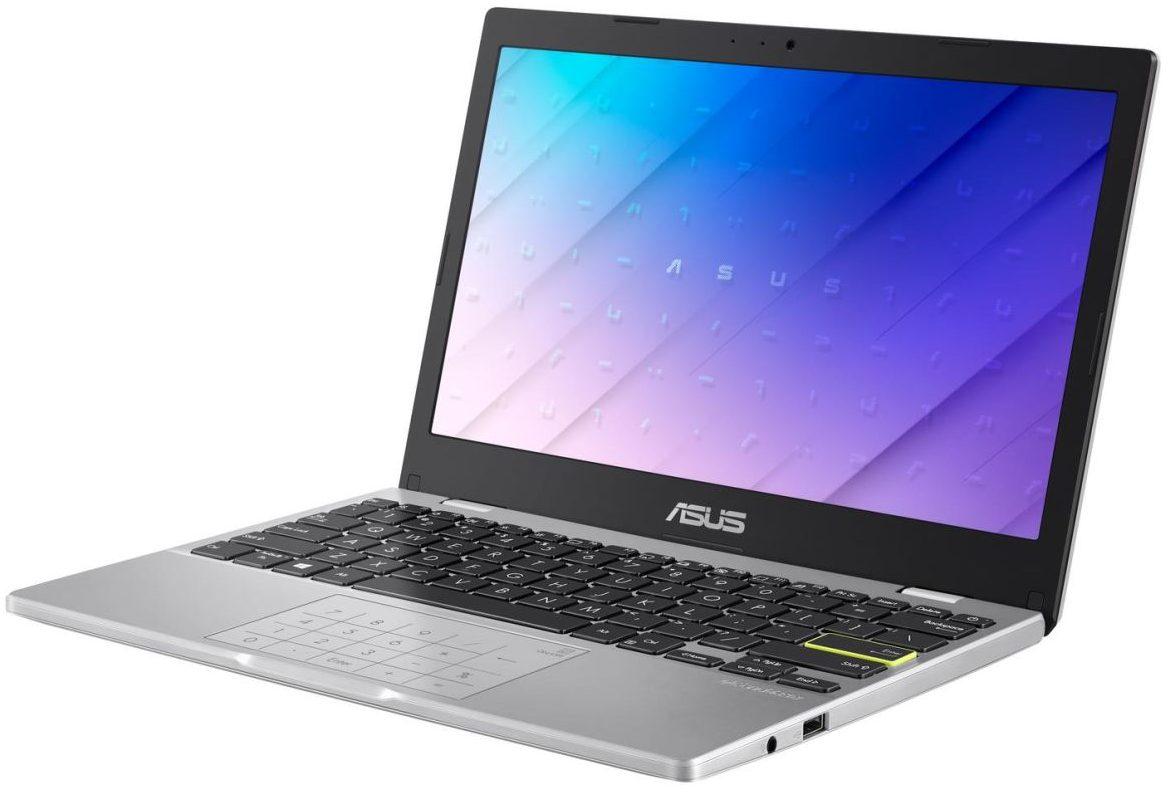
Unofficial specifications
3.5mm Audio JackYes | Audio QualityHigh Definition |
Available ColorsSlate Grey, Pearl White, Coral Pink | Battery Capacity38Wh |
Battery TypeLithium Polymer | Bluetooth Version5.0 |
Build MaterialPlastic | Camera FeaturesVGA webcam |
Charging Speed45W | ChipsetIntel Celeron N4020 |
Clock FeatureNo | Device TypeLaptop |
Dimensions11.8 x 7.5 x 0.7 inches | Display CharacteristicsAnti-glare, 250 nits brightness |
Display TypeLCD | Operating SystemWindows 11 Home in S mode |
Processor Speed1.1 GHz | RAM4GB |
Refresh Rate60Hz | Resolution1366 x 768 |
Screen Size11.6 inches | SensorsNone |
Special FeaturesErgoLift hinge design | Standby Time12 hours |
Storage Capacity64GB eMMC | Weight1.3 kg |
Wireless ChargingNo | Body TypeClamshell |
Cooling SystemPassive cooling | TouchscreenNo |
HDMI Ports1 | USB Ports1 x USB 3.2 Type-A, 1 x USB 2.0 Type-A, 1 x USB-C |
Backlit KeyboardNo | Graphics CardIntegrated Intel UHD Graphics 600 |
Processor BrandIntel | Processor GenerationGemini Lake |
Processor ModelN4020 | Screen ResolutionHD |
BrandAsus | Model NameE210 |
Model NumberE210MA | Product DescriptionAsus E210 is a compact and lightweight laptop designed for everyday tasks and portability. |
Warranty1 year | Audio Jack3.5mm |
Display Size11.6 inches | Ram4GB |
Wifi Support802.11ac | Usb TypeUSB Type-A, USB Type-C |
Battery38Wh | Gpu TypeIntegrated |
Storage64GB eMMC | Cpu TypeDual-Core |
dup3434N/A | Cooling TechnologyPassive |
Frequency (Hz)1.1 GHz | App ControlNo |
dupllN/A | Processor Cores2 |
Processor Threads4 | RAM Speed2400 MHz |
RAM Slots1 | RAM ExpandableYes, up to 8GB |
Storage InterfaceeMMC | Storage ExpandableYes, via microSD |
Graphics VRAMShared | Display Touch SupportNo |
EthernetNo | Thunderbolt VersionN/A |
SD Card ReaderYes | Keyboard LanguageEnglish |
Build StandardStandard |
Reviewer
Apr 19, 2026
I was already a bit skeptical when I decided to purchase the Asus E210, mainly because the price was so enticing. As someone who often balances work and personal projects, finding a budget-friendly laptop seemed like an impossible dream. But seeing the specs on paper gave me some hope—lightweight, decent RAM, and fair storage capacity. Unfortunately, my initial excitement quickly started to fade.
The moment I unboxed it, that familiar thrill kicked in—everything looked sleek, shiny, and promising. It had this fresh feel that made me want to dive right into setting it up. However, as soon as I started plugging everything in, little annoyances crept up. The charging port felt flimsy and made me worry about longevity right off the bat!
Let’s talk about what genuinely works well—I have to give credit where it’s due! The **keyboard** is surprisingly comfortable for such a compact device; typing emails and documents became a joyful experience instead of a chore. I honestly love how responsive it feels; my fingers glided across without any odd resistance.
Also, I found myself really impressed with its portability. At just over 3 pounds, I could toss it in my backpack without lugging around excess weight during my commute. This truly fits my lifestyle; being out and about has never been easier with this little gadget!
I’ve experienced a few specific annoyances that really drive me nuts as well. One evening while working on an important project, the **fan suddenly kicked in** and sounded like a jet engine taking off! This was particularly frustrating because I’m usually in quiet spaces trying to focus; it's unbearable when you’re trying to kill distractions only to have your laptop disturb your peace.
Additionally, there are moments when the performance dips unexpectedly—when multiple apps are running or even just during video calls while sharing presentations. I always thought laptops in this price range would handle such basic tasks smoothly. Instead, I found myself staring at spinning circles more often than I'd like. Such a letdown!
The battery life? Let’s just say I'm not thrilled with it. I expected better for this investment—maybe **4-5 hours** tops under relatively light use? Sure enough, I was exasperated when it fizzled out before noon after just casual browsing! Packing my charger everywhere has become a routine rather than an exception; it's downright inconvenient when I'm rushing between meetings.
This also makes those remote working days challenging because I’ve had to juggle finding outlets wherever I can squeeze them in! Honestly speaking, sometimes it feels like playing hide-and-seek rather than enjoying productivity.
I did manage to try out the camera recently for an online meeting—the results? A mixed bag for sure. While it's decent for short video chats with family or friends—let's not get ahead of ourselves here—any serious professional call left me wishing for something much better. The colors appeared washed out and didn’t do my skin tones any favors.
On one particularly funny occasion during a team meeting, one of my colleagues joked about how grainy my image was compared to everyone else’s vibrant faces on screen! It was embarrassing and quite disappointing since cameras should be standard nowadays!
If you're considering the Asus E210 primarily as a light-use laptop—surfing the web or streaming shows—you might find some value here. However, if you need robust performance or multitasking capabilities? Well... tread carefully. For its pricing tier and potential features, there's room for improvement.
In certain ways, I'm glad I've had this laptop by my side; the portability features do come through admirably now and then! But overall? I wouldn’t say go all in without weighing your options against competitors that may offer better longevity and reliability.
Share feedback or ask a question about this product.