
© 2026 Kossti. All rights reserved.
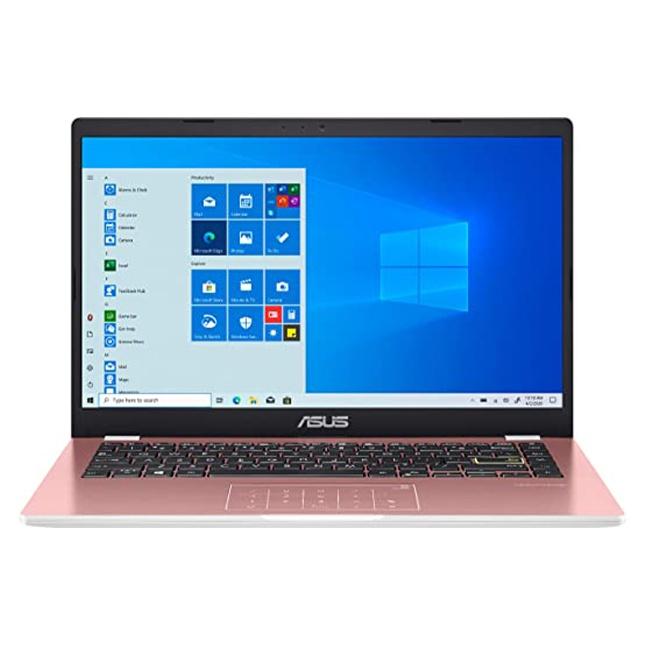
Unofficial specifications
Warranty1 Year International Warranty | 3.5mm Audio JackYes |
RAM ExpandableNo | Model NameE410 |
RAM4 GB | Cpu TypeIntel Celeron |
Clock Feature4 MB cache | Available ColorsBlack |
BrandAsus | Battery Capacity37 Wh |
Model Number2022 | Gpu TypeIntegrated |
Wireless ChargingNo | Dimensions326 x 216 x 19 mm |
Storage ExpandableNo | Graphics VRAMShared |
Display Size14 inches | Processor Speed1.1 GHz base / 2.8 GHz boost |
Cooling SystemSingle Fan | Display Touch SupportNo |
Thunderbolt VersionNo | Keyboard LanguageEnglish/Bangla |
TouchscreenNo | HDMI PortsHDMI 1.4 |
Processor ModelCeleron N4020 | Charging Speed45W |
Resolution1366 x 768 pixels | Processor Threads2 |
EthernetNo | dupll1 Year |
USB Ports1x USB 3.2 Gen 1, 1x USB-C 3.2 Gen 1 | Weight1.4 kg |
Backlit KeyboardNo | Display CharacteristicsTN, 220 nits |
SD Card ReaderNo | Build MaterialPlastic |
Refresh Rate60 Hz | Screen Size14 inches |
Wifi SupportWi-Fi 5 (802.11ac) | Usb TypeUSB 3.2 Gen 1 |
Storage128 GB SSD | Processor Cores2 |
Screen Resolution1366 x 768 pixels | Standby Time6-8 hours |
Audio QualityStereo Speakers | SensorsNo |
Storage InterfaceNVMe PCIe Gen3 | ChipsetIntel Platform Controller Hub |
Frequency (Hz)60 | App ControlNo |
Battery TypeLithium-ion | Operating SystemWindows 11 Home |
Product DescriptionBlack | Display TypeTN |
Audio Jack3.5mm Combo Jack | Battery37 Wh |
Device TypeBudget | Camera Features720p HD |
Bluetooth VersionBluetooth 4.2 | Graphics CardIntel UHD Graphics 600 |
Ram4 GB | Cooling TechnologySingle Fan |
Body TypePlastic | Special FeaturesTPM 2.0 |
RAM Slots1 | Processor Generation10th Gen |
dup34341.4 kg | Storage Capacity128 GB |
Build StandardStandard | Processor BrandIntel |
RAM Speed2400 MHz |
Reviewer
Aug 6, 2026
The moment you unbox the Asus E410, its lightweight and compact design will strike you as ideal for portability. Weighing under three pounds, it won't weigh down your bag during commutes or travel. However, upon closer inspection, the plastic build may leave you wanting more in terms of durability—it feels somewhat flimsy compared to sturdier competitors.
When you power it up, the boot speed is surprisingly quick thanks to its eMMC storage. You'll appreciate how rapidly it gets you logged in and ready to work or unwind. Yet, don’t expect high-end aesthetics; its utilitarian look is best described as plain. This laptop isn't winning any awards for design but may appeal if function takes precedence over flair.
Equipped with an Intel Celeron N4020 processor, your experience with intensive applications will be limited. Basic tasks like web browsing and streaming can perform adequately, but expect stuttering when trying to multitask with heavier programs. You might find that while simple operations run smoothly, any demand beyond light usage exposes the processor's limitations.
When put through benchmarks, numbers show a modest performance level—scoring around 150 points on PassMark's CPU test. This means for basic users who only need a laptop to check emails or watch videos, you'll find satisfaction. But if you're hoping for responsiveness when running multiple tabs or software simultaneously, prepare for frustration rather quickly as lag sets in.
During testing, heat management on the Asus E410 becomes a significant issue. After extended use—like working on documents while streaming content—you'll notice considerable warmth emanating from the keyboard area. This can become uncomfortable after long sessions and indicates that cooling solutions aren't robust enough for prolonged performance.
This thermal limitation also affects performance; as temperatures rise, throttling kicks in—leading to further slowdowns as the laptop attempts to keep itself cool. Be mindful of this behavior; your productivity may be hindered whenever the system tries to manage heat rather than provide you with uninterrupted performance.
The 14-inch display presents a resolution of 1920 x 1080 pixels, which looks sharp at first glance. You'll appreciate decent color reproduction good enough for casual image editing or media consumption. However, when viewed outside or in bright environments—this is where things take a turn—the glossy finish reflects glare significantly. It can be challenging to see clearly under direct sunlight.
Brightness levels might feel inadequate; cranking it up fully doesn’t produce illuminating results necessary for those refined details in photos or videos. Thus, optimal viewing occurs primarily indoors in well-lit rooms—not ideal if you plan to utilize your laptop outdoors frequently.
Your time with the Asus E410 includes manageable battery life—but **don’t** expect long hours on demanding days. With an average battery runtime of around 6-7 hours on light usage, this could drop significantly if multitasking or engaging resource-heavy activities are involved; consider having a charger nearby.
Charging times are relatively standard—you’ll achieve approx 50% charge in about 45-60 minutes—but those seeking extensive unplugged performance will feel constrained by these limits during busy work sessions or travel days.
You’ll find that the webcam quality has room for improvement—it struggles with clarity and color accuracy even in well-lit settings. Expect pixelated images during video calls and muted colors that fail to represent true skin tones accurately; this can lead to awkward virtual meetings where presentation matters.
If capturing images for documentation is on your list of needs, lower expectations here too—the camera hardware lacks advanced features common in today’s laptops—and ultimately serves merely as a basic utility rather than a reliable tool.
The engineering behind the Asus E410 showcases marked effort toward affordability but falls short in critical areas such as performance consistency and durability under pressure. If you plan to execute only minimal tasks with easy-to-handle applications, it will suffice but beware of its constraints on more complex needs.
Your decision should hinge on what truly matters since the low price tag is appealing upfront—but there's enough mediocrity hiding beneath that won't fulfill every requirement satisfactorily. Consider complementary devices or features before deciding whether this budget device meets your overall tech needs.
Share feedback or ask a question about this product.