
© 2026 Kossti. All rights reserved.
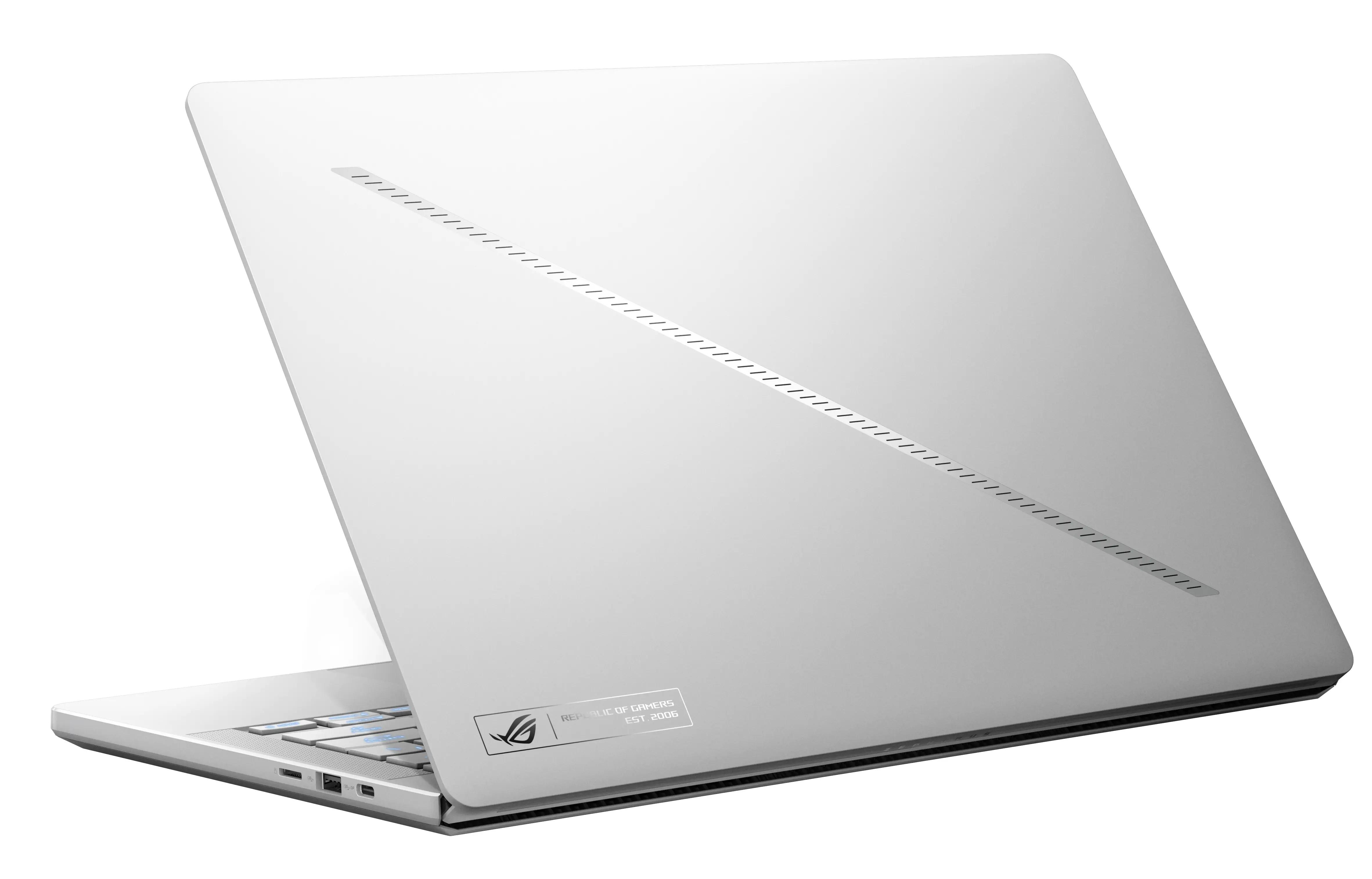
Unofficial specifications
Clock Feature16 MB cache | RAM Speed5200 MHz |
Processor Generation7th Gen | Wifi SupportWi-Fi 6 (802.11ax) |
App ControlNo | Processor Threads32 |
RAM ExpandableYes (up to 64GB) | EthernetNo |
BrandAsus | Processor ModelRyzen 9 7940HS |
Wireless ChargingNo | Display CharacteristicsIPS, 500 nits |
3.5mm Audio JackYes | Cooling SystemDual Fan |
Display Size14 inches | Product DescriptionMoonlight White |
Body TypeAluminum | RAM32 GB |
Weight1.6 kg | Battery76 Wh |
Battery TypeLithium-ion | Resolution2560 x 1600 pixels |
Camera Features1080p FHD | Storage InterfaceNVMe PCIe Gen4 |
Graphics VRAM8 GB GDDR6 | dup34341.6 kg |
Display TypeIPS | Usb TypeUSB 3.2 Gen 1 |
Processor BrandAMD | Model Number2024 |
Warranty1 Year International Warranty | Graphics CardNVIDIA GeForce RTX 4070 |
Screen Resolution2560 x 1600 pixels | Battery Capacity76 Wh |
Build MaterialAluminum | Ram32 GB |
Storage1 TB SSD | Standby Time8-10 hours |
Keyboard LanguageEnglish/Bangla | Audio Jack3.5mm Combo Jack |
Charging Speed240W | Storage ExpandableYes (M.2 slot) |
SD Card ReaderNo | Build StandardStandard |
HDMI PortsHDMI 2.1 | USB Ports2x USB 3.2 Gen 1, 1x USB-C 3.2 Gen 2 |
Storage Capacity1 TB | Refresh Rate165 Hz |
Cpu TypeAMD Ryzen 9 | Cooling TechnologyDual Fan |
dupll1 Year | Device TypeGaming |
TouchscreenNo | Model NameROG Zephyrus G14 2024 |
Operating SystemWindows 11 Home | Gpu TypeDedicated |
Frequency (Hz)165 | Audio QualityDolby Atmos Speakers |
Special FeaturesTPM 2.0 | RAM Slots2 |
Display Touch SupportNo | SensorsNo |
Dimensions312 x 222 x 16 mm | Thunderbolt VersionThunderbolt 4 |
Bluetooth VersionBluetooth 5.2 | Backlit KeyboardYes |
Available ColorsMoonlight White | Processor Cores16 |
ChipsetAMD Platform Controller Hub | Screen Size14 inches |
Processor Speed2.0 GHz base / 5.2 GHz boost |
Reviewer
Aug 6, 2026
When it comes to raw power, you'll find the Asus ROG Zephyrus G14 2024 is equipped with AMD's latest Ryzen processors. Expect impressive benchmark results that catapult past many competitors, particularly in multi-threaded tasks. Applications and games will run smoothly due to its high clock speeds and solid core count, making it capable of handling intricate workloads without breaking a sweat.
However, what you should watch out for are occasional throttling issues. You might notice during extended heavy-use sessions—like gaming at max settings—that performance can dip significantly after a short while. This could impact your gameplay or productivity when you need consistent output. Balancing performance settings is a must for optimal experiences.
The G14 has some serious potential but the thermal management can leave a lot to be desired. During intense gaming sessions, you'll likely feel the heat emanating from the keyboard area. This can lead to uncomfortable use over longer periods if you're vigorously multitasking or engaged in a marathon gaming session.
Furthermore, you may observe that while the fans kick in aggressively, they don’t always keep temperatures down as much as you'd hope. Be prepared for audible fan noise during those peak moments. Ultimately, you'll want to consider using an external cooling pad if maintaining lower temperatures is crucial during gameplay.
The display on the G14 stands tall among its peers with vibrant colors and stunning clarity thanks to its QHD panel offering high refresh rates up to 165Hz. Whether you’re enjoying vivid landscapes in gaming or editing photos, your visuals will pop with astonishing intensity and detail.
You will appreciate anti-glare coating that helps maintain visibility even in bright conditions—ideal for those outdoor working moments or casual play sessions under direct sunlight. Just keep in mind; viewing angles aren’t as exceptional as they could be, so angling your screen correctly will enhance your experience significantly.
Battery life on the Asus ROG Zephyrus G14 is decent for a gaming laptop but may leave you wanting more during intense usage scenarios. On light workloads like browsing or document editing, you might stretch the battery life close to 8 hours; however, when engaging demanding games or applications, this drops dramatically—you’ll often be hunting for a charger after just a couple of hours.
Charging speeds are acceptable but not groundbreaking. Expect around two hours plugged in for a full charge with everyday use—but watch out on heavy days! The battery can drain faster than you expect; that's enough to catch you off guard once you become engrossed in your tasks.
While integrated webcams usually don’t set high expectations, the camera on this model deserves some attention—and not all good. You'll find it insufficient for crisp video calls; image quality suffers in low light conditions and colors come off rather muted. This may frustrate you if video conferencing is essential in your workflow.
If your budget allows, investing in an external webcam would enhance your professional appearance significantly during meetings. Most users will agree that it’s better to allocate resources elsewhere than rely on this lackluster hardware.
The engineering quality of the Asus ROG Zephyrus G14 2024 embodies both innovation and compromise. Although its compact form factor makes it portable and attractive for students as well as professionals alike, you'll discover elements that hinder its overall effectiveness under pressure.Build quality is robust but occasionally feels careless around heat dissipation mechanisms that require improvement.
In conclusion, if you're prioritizing strength and portability without catering too much towards extended intensive tasks, then this laptop might tick enough boxes for your needs. But if long gaming marathons or heavy creative work are part of your routine, you could find yourself yearning for something better designed in terms of thermal management and battery endurance. Consider all factors before finalizing your purchase decision.
Share feedback or ask a question about this product.