
© 2026 Kossti. All rights reserved.
Reviewer
Aug 4, 2026
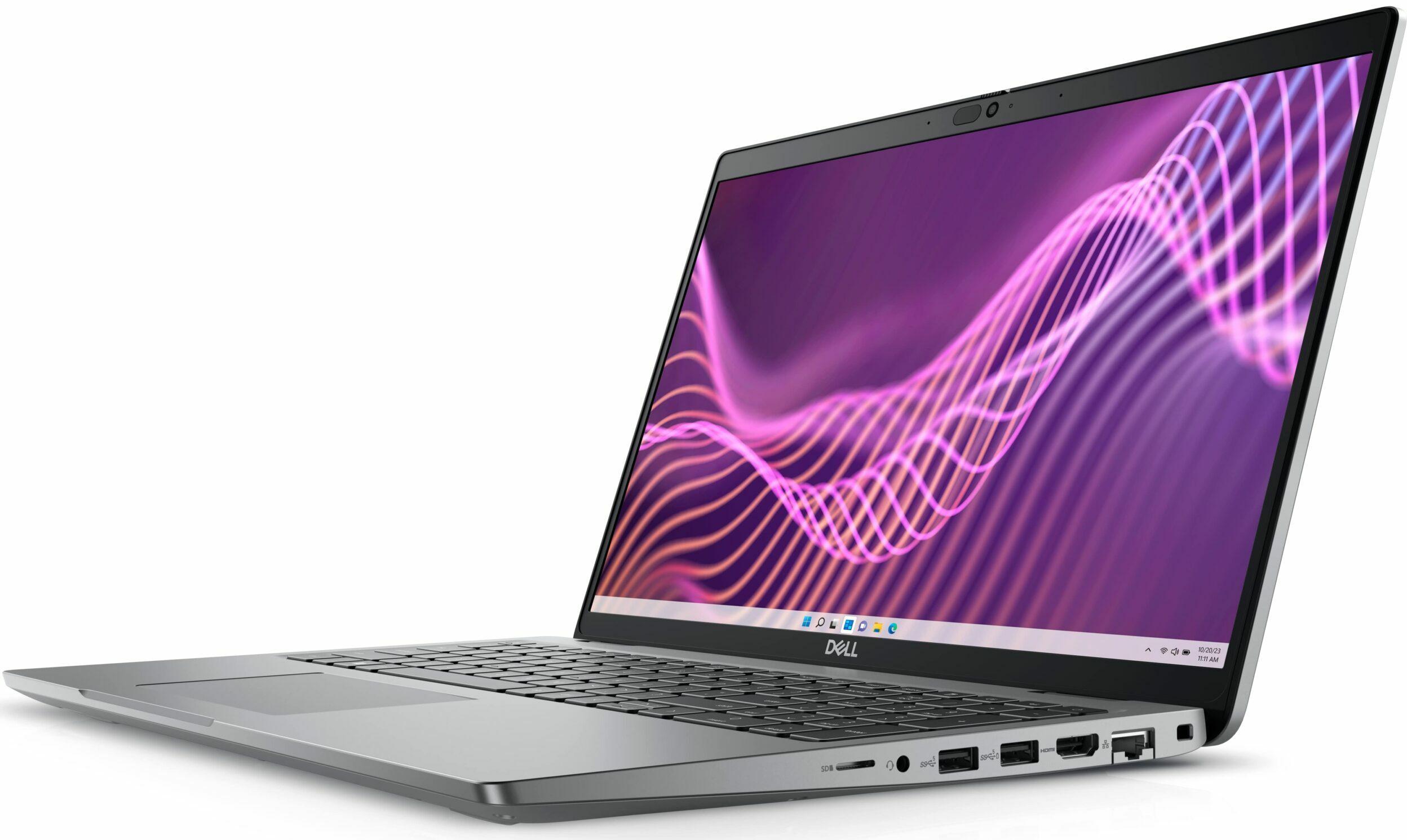
When you first unbox the Dell Latitude 5540, you'll appreciate its sturdy design. The metal chassis feels robust, giving you confidence in its durability for daily use. You'll quickly notice the ThinkPad-esque keyboard that boasts decent key travel, making lengthy typing sessions feel comfortable.
The overall aesthetic is professional but somewhat bland. Your immediate reaction might be unexcited approval—it's a business laptop designed to blend in rather than stand out. However, the practical design means it's easy to slip into any workspace without drawing unwanted attention.
You’ll likely find that the Latitude 5540 runs on the latest Intel Core processors, which promise solid performance for multitasking and productivity applications. In real-world tasks like video conferencing and handling spreadsheets, you may experience quick responsiveness under moderate loads. Benchmark tests could indicate impressive scores at first glance.
However, here’s where it gets tricky: while this laptop performs admirably with light tasks, it tends to stutter when pushed to process-intensive applications like video editing or gaming. Expect to see some throttling when heavy processing kicks in—the specs can mislead you about its capabilities under pressure.
Your experience with thermal management will likely be one of the more frustrating aspects of the Latitude 5540. Despite its robust build, this device can run surprisingly hot during extended use, especially under heavier workloads. If you're running multiple applications simultaneously for more than a couple of hours, you can expect the fans to kick into high gear.
This constant heating means you might find yourself either looking for a cooler environment or feeling uneasy about how warm it gets beneath your fingers on the keyboard. In extreme cases, throttling will restrict performance even further when temperatures soar—something essential to keep in mind during crucial tasks.
The display quality is one area where you'll find some satisfaction. Although it doesn’t boast ultra-high resolution, viewing angles and color reproduction are respectable for everyday use. You’ll appreciate that it holds up reasonably well even in direct sunlight—a significant perk if you often work outdoors or near windows.
However, contrast levels might disappoint if you're coming from vibrant screens typical in higher-end laptops. While not outright poor, expect an average brightness that may leave some visuals appearing washed out—especially if you're diving into graphic design or media consumption tasks.
Battery life is another point where expectations may clash with reality. Your time with the Latitude 5540 may start off encouraging; it promises all-day usage under optimal conditions. However, any demanding applications or continuous video streaming will drain battery quicker than expected. Heavy users will want to keep their charger nearby.
You might find yourself frustrated if you plan long meetings or travels without access to power outlets since this laptop's battery will likely let you down on particularly heavy days of usage. Charging speed is adequate but not fast enough to allow for convenient top-ups during brief breaks.
The webcam quality is decent for casual use but may fall short during important video calls—unexpected blurriness could catch you off guard while working remotely. What you'll get for your money isn’t competition-level clarity; instead, you've just got a basic camera that suffices but won't impress.
Your colleagues may notice pixelation in low-light conditions as well as washed-out colors due to insufficient contrast adjustment by the software—impacting your professional image inadvertently during virtual meetings.
In assessing engineering quality and overall utility, the Dell Latitude 5540 delivers reliable experiences amidst varied strengths and shortcomings. On one hand, it brings a solid build and functional features that are practical for daily tasks; on the other hand, disappointing thermal management and mediocre display qualities bring down its appeal significantly when put under strain.
Your honest take-away from using this laptop should reflect whether those strengths outweigh weaknesses according to your unique needs. If all-day portability coupled with reliability for office work fits within your priorities despite a few compromises, this device may meet your requirements adequately; if not, exploring more capable alternatives would be wise.
Share feedback or ask a question about this product.