
© 2026 Kossti. All rights reserved.
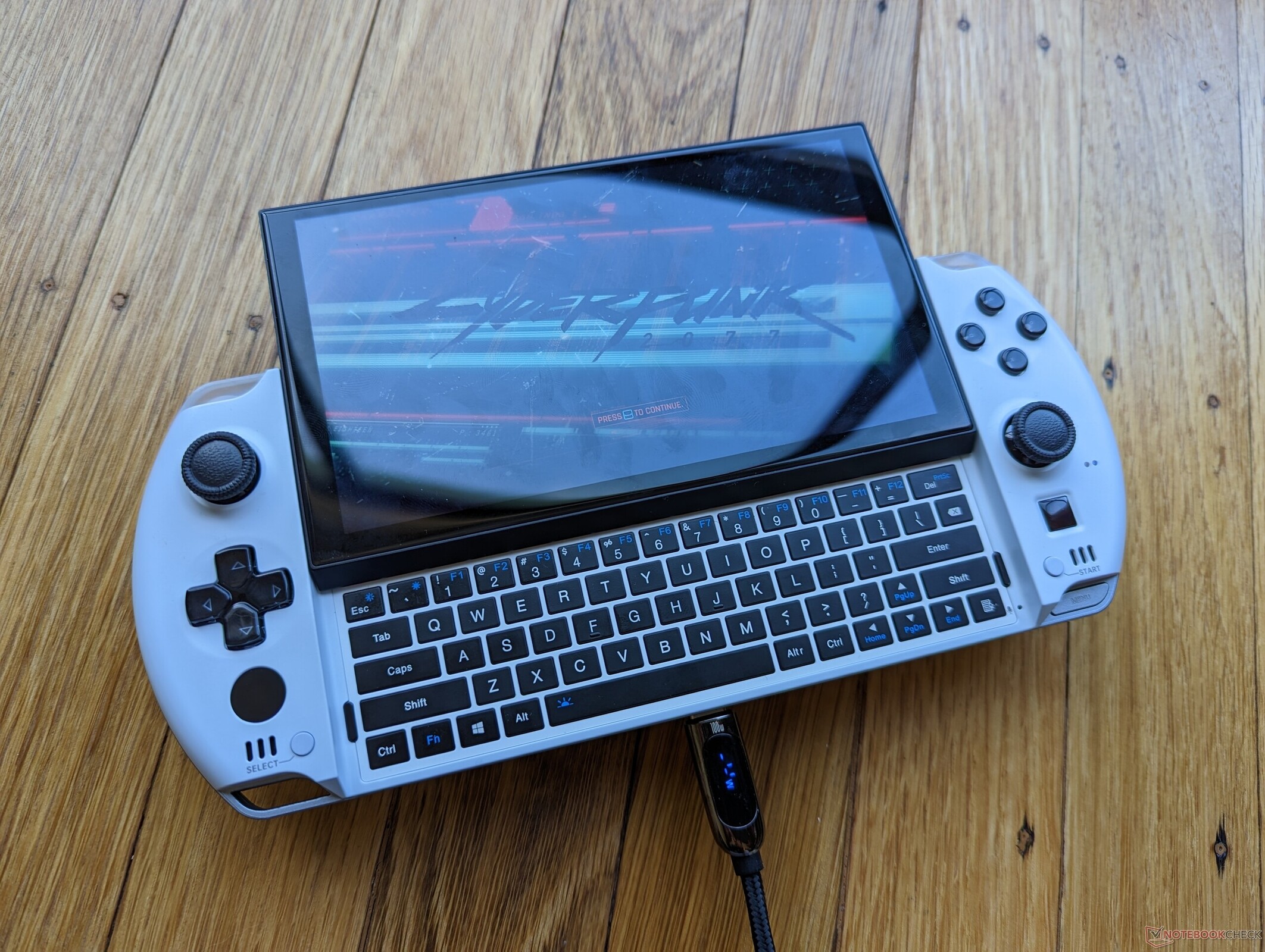
Unofficial specifications
Usb TypeUSB 3.2 Gen 2 | Standby Time4-5 hours gaming |
3.5mm Audio JackYes | Camera Features2MP |
Product DescriptionBlack | Warranty1 Year Warranty |
SD Card ReaderYes | Processor BrandAMD |
Screen Resolution1280 x 720 pixels | Build MaterialAluminum |
Processor Cores8 | RAM SlotsSoldered |
Processor ModelRyzen 7 7840U | Storage1 TB SSD |
Display CharacteristicsIPS, 400 nits | Dimensions180 x 90 x 20 mm |
Keyboard LanguageEnglish/Bangla | Battery Capacity50 Wh |
TouchscreenYes | Display Size6 inches |
RAM32 GB | Gpu TypeDedicated |
Audio QualityDual Speakers | Body TypeAluminum |
Model Number2023 | App ControlNo |
Model NameWin 4 | Battery TypeLithium-polymer |
Wireless ChargingNo | RAM ExpandableNo |
Wifi SupportWi-Fi 6 | Cooling TechnologyDual Fan |
Storage InterfacePCIe Gen4 | Thunderbolt VersionNo |
USB PortsUSB4, USB 3.2 Gen2, USB-C | dupll1 Year |
Clock Feature16 MB cache | Processor Threads16 |
Graphics VRAMDedicated (RDNA3) | BrandGPD |
dup34340.6 kg | Weight0.6 kg |
Device TypeUltraportable Gaming | Build StandardStandard |
Refresh Rate60 Hz | Battery50 Wh |
Cooling SystemDual Fan | Storage ExpandableYes (M.2) |
EthernetNo | Processor GenerationZen 4 |
Bluetooth VersionBluetooth 5.2 | Audio Jack3.5mm Combo Jack |
Frequency (Hz)60 | Charging Speed65W USB-C |
Processor Speed2.7 GHz base / 5.1 GHz boost | SensorsNo |
Display Touch SupportYes | Operating SystemWindows 11 Home |
Graphics CardAMD Radeon 780M | RAM Speed6400 MHz |
HDMI PortsHDMI 2.1 | Display TypeIPS |
Ram32 GB | Cpu TypeAMD Ryzen 7 |
Storage Capacity1 TB | Screen Size6 inches |
Backlit KeyboardYes | Resolution1280 x 720 pixels |
Available ColorsBlack | Special FeaturesTPM 2.0 |
Reviewer
Jul 19, 2026
Your initial experience with the GPD Win 4 will draw you in with its compact yet powerful design. The moment you pick it up, you'll feel its sturdy build, which is refreshing for a device this size. It’s packed with features that scream portability without sacrificing performance.
As you power it on, vibrant colors pop from the high-resolution screen, and the layout of buttons feels intuitive. You might appreciate the ergonomic placement, which enhances usability whether you're gaming or working. What catches your attention is how such a small form factor contains all the essentials for both leisure and productivity tasks.
Your day-to-day tasks will reveal the performance you expect from an AMD Ryzen CPU. In benchmark tests, you can anticipate solid numbers that compete with mid-range laptops. However, when diving into gaming or intense applications, there may be moments when it struggles to maintain consistent frame rates under pressure.
You’ll find that while casual gaming runs smoothly at lower settings, demanding titles may require tweaking. Don’t be surprised if the gaming experience dips when maxing out graphical settings. This might lead to some frustration during intensely engaging moments, especially if you're looking for ultra settings.
The first time you put this device through its paces, heat management issues may quickly become evident. During heavy use, such as gaming or video editing, you'll probably notice temperatures rising significantly after just a few minutes. Sweat on palms won’t be uncommon as prolonged sessions lead to discomfort.
This thermal throttling can impede your performance experience; expect noticeable slowdowns in demanding tasks when temperatures peak. Keeping an eye on throttle levels is crucial, and investing in a cooling pad could help alleviate some of those heat-related concerns while boosting performance during long-term use.
The display quality will impress you right off the bat with excellent brightness and color reproduction. You’ll see that it holds up well even in direct sunlight, making outdoor use feasible without straining your eyes. This feature adds value; whether streaming your favorite shows or scrolling through photos, colors are vibrant and clear.
However, there’s a caveat regarding viewing angles; slight shifts can result in color distortion that could catch you off guard when sharing your screen with others. Be prepared to adjust positioning for optimal viewing to avoid any disappointment during collaborative work or group gaming sessions.
Your expectations regarding battery life may not align with reality during more intensive usage scenarios. While light browsing or media consumption can yield satisfactory uptime, heavier activities like gaming will drain the battery quicker than anticipated—often leaving you scrambling for a charger before the end of a session.
The quick charge feature helps mitigate some frustrations but doesn't completely resolve them; frequent reliance on charging means tethering yourself more than expected. If portability is paramount to your daily routine, consider carrying an extra power bank to keep things running smoothly throughout longer days away from an outlet.
Delving into video calls and photography will bring mixed experiences when using GPD Win 4's camera setup. While it's serviceable for quick meetings and casual snaps, don’t expect stellar image quality or impressive low-light performance from the built-in webcam. This could disappoint as expectations rise in videoconferencing environments.
Aiming for clarity can lead to continuous adjustments in lighting conditions and angles while trying to get a decent shot or look professional on your next Zoom call. Overall, think of this camera as merely functional—the specifications won’t match today’s higher-end options found in competitor devices.
Your journey with the GPD Win 4 will lead to mixed feelings about engineering quality overall. On one side lies impressive specs packed into a portable design perfect for both work and play—but shortcomings surface that impact user experience significantly.
If you're prioritizing performance and versatility above all else, this hybrid product can suffice for casual users who need something mobile without fully committing to premium devices yet expecting high-performance benchmarks consistently might push limits unnecessarily. Assess your primary needs before making that purchase decision; what works superbly for one user might only serve basic functions for another.
Share feedback or ask a question about this product.