
© 2026 Kossti. All rights reserved.
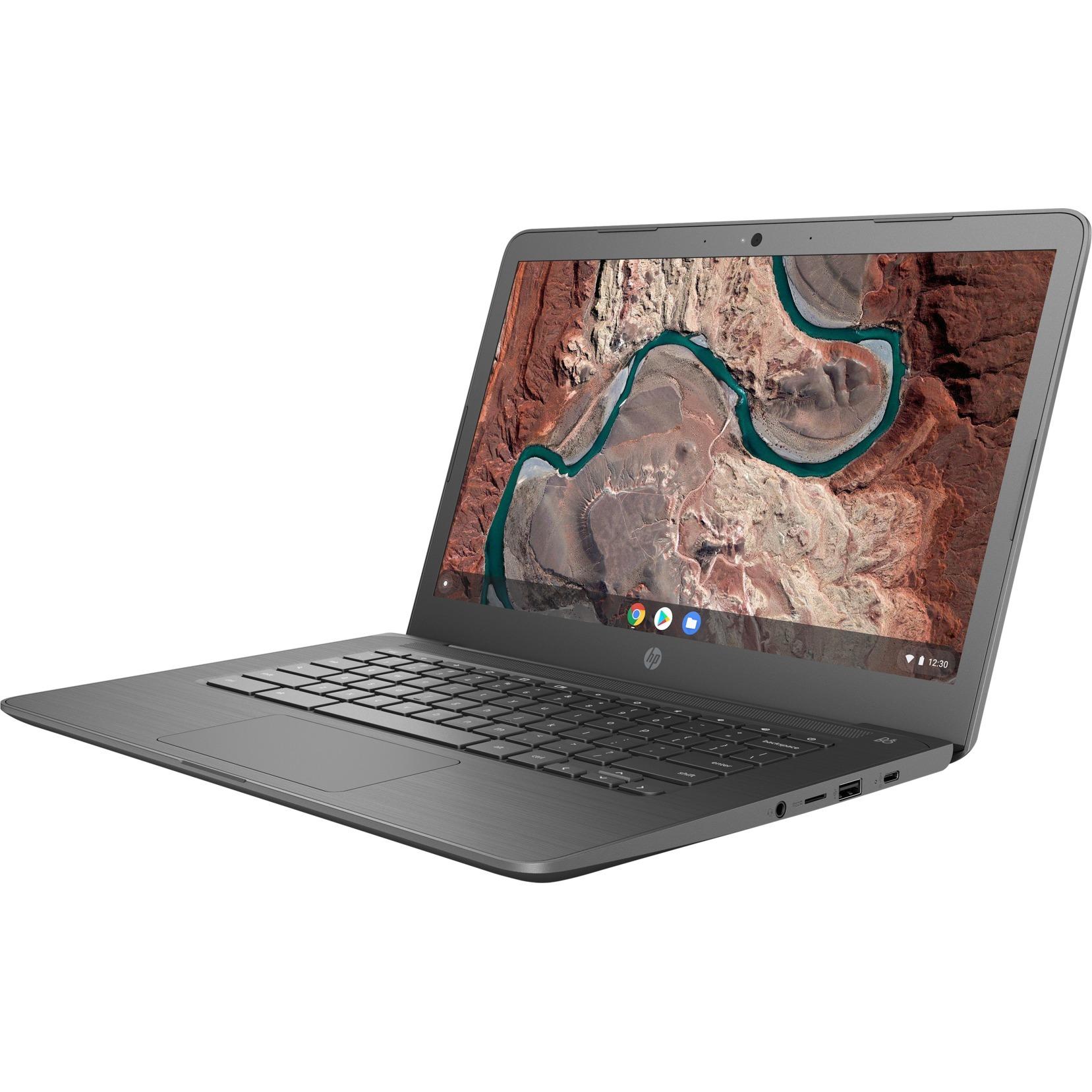
Unofficial specifications
3.5mm Audio JackYes | Operating SystemChrome OS |
Weight1.46 kg | Cpu TypeMediaTek Kompanio 520 |
Storage ExpandableNo | EthernetNo |
Keyboard LanguageEnglish/Bangla | Model NameChromebook 14 |
Processor BrandMediaTek | Processor GenerationMT8186 |
App ControlNo | Dimensions324 x 225 x 17.5 mm |
Cooling SystemPassive | Processor ModelKompanio 520 |
Battery47 Wh | Resolution1366 x 768 pixels |
Graphics VRAMShared | TouchscreenNo |
ChipsetMediaTek Integrated | Charging Speed45W USB-C |
Processor Speed2.0 GHz | Display Touch SupportNo |
Thunderbolt VersionNo | Battery Capacity47 Wh |
Display TypeTN | Frequency (Hz)60 |
Special FeaturesTPM 2.0 | Storage InterfaceeMMC |
USB Ports2x USB-C 3.2, 1x USB-A | Bluetooth VersionBluetooth 5.2 |
Wifi SupportWi-Fi 6 (802.11ax) | Storage64 GB eMMC |
Battery TypeLithium-ion | Display CharacteristicsTN, 220 nits |
Available ColorsSilver | Screen Resolution1366 x 768 pixels |
Display Size14 inches | Build MaterialPlastic |
Screen Size14 inches | Wireless ChargingNo |
Audio QualityStereo Speakers | SD Card ReaderYes |
Build StandardStandard | Graphics CardARM Mali-G72 |
Usb TypeUSB 3.2 Gen 1 | Body TypePlastic |
RAM SpeedLPDDR4X | HDMI PortsHDMI 1.4 |
Product DescriptionSilver | Audio Jack3.5mm Combo Jack |
dup34341.46 kg | Model Number2023 |
Gpu TypeIntegrated | Standby Time10-12 hours |
Processor Threads8 | BrandHP |
Storage Capacity64 GB | Clock Feature2 MB cache |
SensorsNo | Refresh Rate60 Hz |
Cooling TechnologyPassive | Device TypeChromebook |
RAM SlotsOnboard | RAM ExpandableNo |
RAM4 GB | dupll1 Year |
Camera Features720p HD | Processor Cores8 |
Warranty1 Year International Warranty | Backlit KeyboardYes |
Ram4 GB |
Reviewer
Apr 20, 2026
The moment I unboxed the HP Chromebook 14, I sensed a blend of excitement and skepticism. The sleek design and vibrant colors immediately caught my eye. But as I ran my fingers over the plastic casing, I couldn't shake the nagging feeling that it might be too light on quality for what I needed.
I remember firing it up for the first time and being greeted by a clean, user-friendly interface. It felt promising! I was ready to dive into tasks with a fresh sense of enthusiasm, especially since this model had received some pretty solid reviews online.
However, when reality hit; I realized that despite its shiny exterior, there were underlying issues waiting to emerge... And oh boy did they come out quickly!
The 14-inch display was initially a pleasant surprise—bright and colorful enough for casual browsing. Watching Netflix felt nearly enjoyable until, halfway through my series binge, it suddenly became apparent how reflective the screen is. Every slight flicker in room lighting turned my screen into a make-shift mirror.
I vividly recall trying to enjoy an intense thriller late at night but found myself squinting at dark scenes because of the glare. This made me so frustrated since it detracted from the immersion I craved while watching! For a machine marketed towards students and general users, this seems like an oversight that shouldn’t happen.
As for performance, overall speed aligns well with most casual computing needs. I'm often multitasking between tabs while writing reports or researching topics for class projects. When functioning normally, this thing can keep pace without much lag—this genuinely impressed me during those busy days.
But then came moments of slowdowns that left me exasperated; particularly when using Google Docs alongside multiple browser tabs. I was so annoyed when it began hesitating mid-sentence, as if trying to catch up with my thoughts! It's maddening when you’re on deadline and your technology decides to take a coffee break.
The prospect of decent battery life is often touted—but good luck living up to those promises! While the estimated runtime seemed promising, in practice, I learned it barely lasted through a full day of heavy use. More than once I found myself scrambling for the charger during classes or mid-task in a coffee shop.
This made me feel protective of my wallet when considering whether or not this Chromebook really offers great value. After hearing others rave about their devices lasting long hours during work trips or school days—there's definitely that expectation set on board!
If you’re considering purchasing this laptop, it's imperative to understand its scope. It does serve basic functionality well—a good option if you're primarily browsing or streaming content occasionally. I’ve enjoyed its lightweight aspect throughout travels—toting it around has been hassle-free.
However, keep your workload in check! Don’t expect miracles when running resource-heavy programs or multitasking extensively. Knowing this upfront may save you frustration later on!
The price tag caught my attention—the affordability feels like a strong point overall at first glance. However, after experiencing various shortcomings firsthand, I started wondering about long-term investment value versus initial savings.
I felt disappointed when realizing how much competition exists in similar price ranges providing arguably superior displays and performance features—you must thoroughly research before making any final decisions!
In terms of ownership costs beyond just purchase price—consider potential add-ons you might need down the line like software subscriptions or warranty enhancements due to build quality concerns (those plastic hinges sure worry me!). Thankfully it's compatible across platforms and cloud support is impeccable.
These factors can drive additional expenses—but with plenty of free app options available through ChromeOS stores, you could balance some of these costs effectively!
I’d advise keeping an eye out for weaker aspects regarding build sturdiness—perhaps test displays before buying because fragile components could easily counteract positive traits you’ll appreciate otherwise.
If multitasking capabilities are key for your lifestyle—prepare yourself mentally before diving deep into workloads that exceed basic online activities. This could save some headaches later!
So should you buy the HP Chromebook 14? If you're someone who uses computers moderately—from browsing social media to occasional writing tasks—it might suit your lifestyle quite comfortably despite flaws present here-and-there!
If expectations are set lower than intended though—you'll probably walk away content without feeling buyer's remorse as long as limitations matched realistic day-to-day use scenarios! Recognizing both strengths and weaknesses leads toward making an informed choice tailored specifically around individual budgets
, usage patterns ,and preferences .
Share feedback or ask a question about this product.