
© 2026 Kossti. All rights reserved.
Unofficial specifications
Reviewer
Apr 20, 2026
In a crowded marketplace filled with high-performing laptops, the HP Pavilion x360 14 promised a blend of affordability paired with premium features. I was hopeful as I began using this laptop; after all, it had such great reviews online and seemed like the right choice for work and play. But as I delved deeper into its functionality, my initial excitement kept clashing with moments of frustration that left me scratching my head.
We live in an era where consumers expect more – faster processors, vibrant displays, and strong battery life. With specs boasting Intel’s latest chips and flexible convertible design, the HP Pavilion x360 14 clearly aimed to deliver on these fronts. Yet as I unpacked my new device, I couldn't help but feel a tinge of anxiety thinking about whether this power would translate into real-world performance or if it would pull some tricks under the hood.
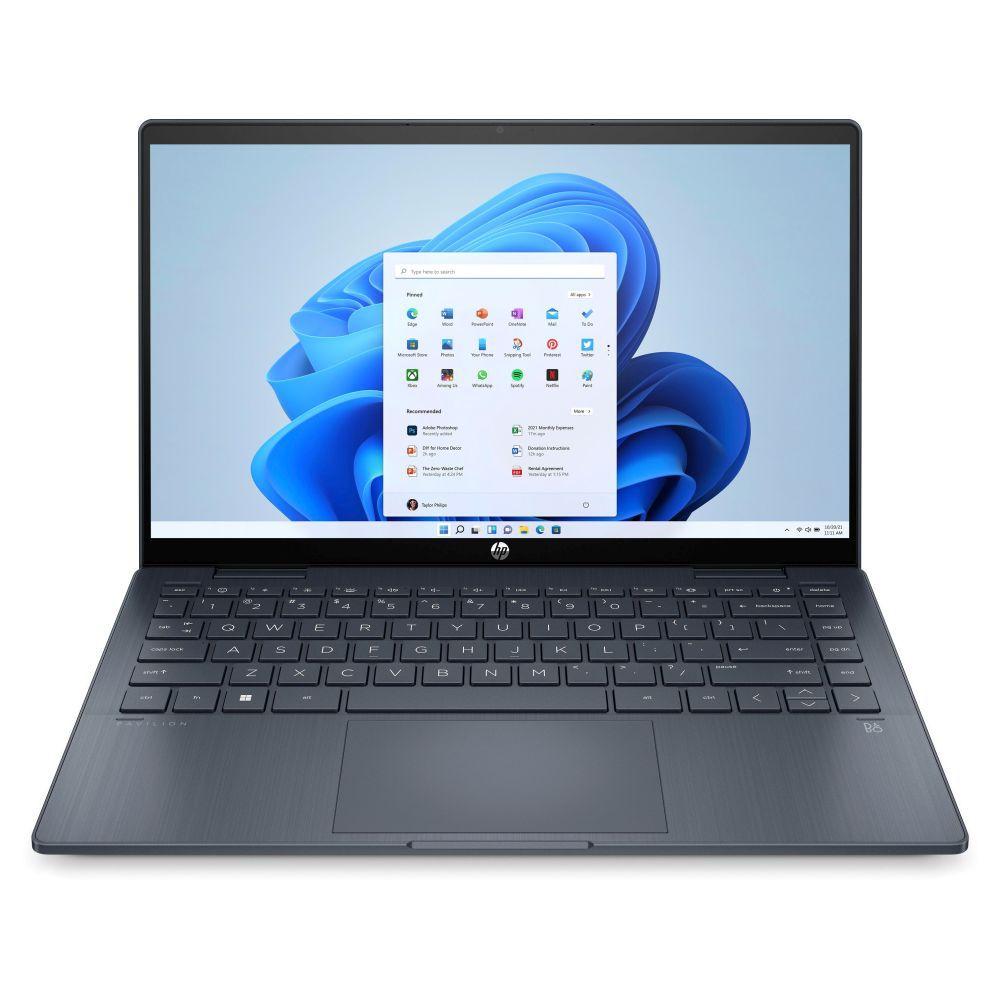
The first time I laid eyes on the HP Pavilion x360 14, I was genuinely impressed by its sleek design. It felt sturdy yet light enough to carry around without being an inconvenience—a welcome change from bulky laptops I've owned before. The hinges are notably innovative; flipping the screen around to tablet mode was surprisingly smooth, making me feel like I was holding a futuristic device.
However, upon further inspection, there were elements that disappointed me. For such a well-promoted product, I expected higher-quality materials. The plastic casing felt cheap in comparison to other laptops I’ve owned in this price range, which is disappointing when you know how much you’re investing. Some might find this acceptable for a budget option, but I'm honestly tired of seeing companies cut corners on build quality.
One feature that genuinely impressed me was the touchscreen functionality! It felt so responsive—whether I was swiping through photos or drawing sketches for work projects, getting everything done just felt fluid. Using Windows Ink was fun! The digitizer pen support made me momentarily float above the ground when sketching ideas during meetings.
But then came one of my biggest pet peeves—the keyboard experience left much to be desired. The keys had less travel than I'd hope for and felt mushy when typing quickly; I found myself making far too many typos during critical moments. And don’t get me started on trackpad precision; it stuttered at times when performing simple tasks like scrolling through documents.
I put the HP Pavilion x360 14 through its paces while multitasking—streaming music while working on presentations and browsing multiple tabs online. It initially held up admirably! Apps launched without noticeable slowdown. I'll confess that feeling of satisfaction crept over me—it felt like I got my money’s worth! However, this fleeting joy didn’t last long.
I faced some glaring issues during resource-heavy tasks like photo editing or gaming sessions. Whenever I'd push the laptop past its limits, it tended to heat up significantly—not just warm but hot enough to make me concerned about long-term reliability! The fan noise became unbearable too; it roared like a mini jet engine whenever it tried to cool things down.
The HP Pavilion x360 14 encapsulates what many look for—a versatile device ideal for students or casual users who need portability without breaking the bank. Still, with great ambition comes significant pitfalls that require addressing: flimsy construction materials detracted from an otherwise captivating design experience along with frustrating performance hiccups.
While I'm undeniably fond of some aspects like touchscreen responsiveness and lightweight design, those dazzling features can't overshadow core functionalities suffering from inconsistency. Ultimately, would I recommend it? Perhaps under certain conditions—but only if you're ready to accept its flaws alongside those moments of brilliance!
Display Size14 inches | Battery43 Wh |
Graphics VRAMShared | Battery Capacity43 Wh |
Gpu TypeIntegrated | Device Type2-in-1 Convertible |
Standby Time7-9 hours | Thunderbolt VersionNo |
Wifi SupportWi-Fi 6 (802.11ax) | Graphics CardIntel Iris Xe |
Model Number2023 | Storage Capacity512 GB |
dupll1 Year | Clock Feature12 MB cache |
Camera Features720p HD | Audio QualityStereo Speakers |
Display Touch SupportYes | BrandHP |
Display CharacteristicsIPS, 250 nits | SensorsNo |
Dimensions313 x 225 x 17.9 mm | Special FeaturesTPM 2.0 |
dup34341.52 kg | Audio Jack3.5mm Combo Jack |
App ControlNo | Storage ExpandableYes (M.2 slot) |
EthernetNo | Build MaterialPlastic |
Warranty1 Year International Warranty | Cpu TypeIntel Core i5 |
Keyboard LanguageEnglish/Bangla | Build StandardStandard |
Processor ModelCore i5-1235U | Refresh Rate60 Hz |
Frequency (Hz)60 | Screen Size14 inches |
Processor Cores10 | HDMI PortsHDMI 1.4 |
RAM8 GB | Processor Threads12 |
RAM ExpandableYes (up to 32GB) | Ram8 GB |
Cooling TechnologySingle Fan | Battery TypeLithium-ion |
Screen Resolution1920 x 1200 pixels | Weight1.52 kg |
Processor Speed1.3 GHz base / 4.4 GHz boost | 3.5mm Audio JackYes |
Model NamePavilion x360 14 | Operating SystemWindows 11 Home |
ChipsetIntel Platform Controller Hub | Resolution1920 x 1200 pixels |
Available ColorsSilver | USB Ports1x USB 3.2 Gen 1, 1x USB-C 3.2 |
Usb TypeUSB 3.2 Gen 1 | Storage512 GB SSD |
Charging Speed45W USB-C | RAM Speed3200 MHz |
RAM Slots2 | SD Card ReaderNo |
Processor BrandIntel | Processor Generation12th Gen |
Bluetooth VersionBluetooth 5.2 | Wireless ChargingNo |
Body TypePlastic | Cooling SystemSingle Fan |
TouchscreenYes | Product DescriptionSilver |
Display TypeIPS | Backlit KeyboardYes |
Storage InterfaceNVMe PCIe Gen3 |
Share feedback or ask a question about this product.