
© 2026 Kossti. All rights reserved.
Unofficial specifications
Reviewer
Apr 20, 2026
When I first got my hands on the HP ProBook 450 G10, I was genuinely excited. The marketing promised a sleek design combined with powerful performance—something that felt like hitting the jackpot for a budget-friendly laptop. However, as soon as I booted it up, that excitement quickly turned into a mix of confusion and frustration. I felt misled by all the glossy images and glowing reviews; it was almost like someone had painted a picture that didn’t really look like what stood in front of me.
The initial setup was relatively straightforward, but navigating the pre-installed software made me want to pull my hair out. I couldn't believe how much bloatware came loaded—who even needs Candy Crush on their work laptop? It felt cheap and unnecessary for a device positioned as professional-grade. Honestly, I was so annoyed when half my morning was spent uninstalling apps that shouldn’t have even been there.
I truly wished for strong materials that could withstand daily use, but it didn't take long before disappointment settled in. The palm rest feels flimsy; it's mostly plastic without any reassuring heft. When I pressed down while typing, I could hear tiny creaks—I mean, come on! For this price point, I expected more than just an aesthetic exterior with so-so structural integrity.
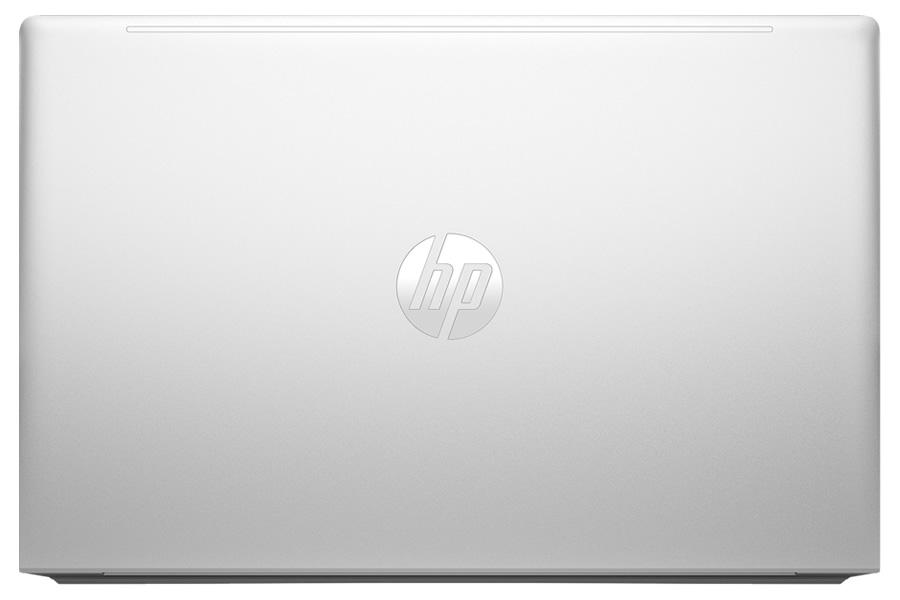
What made this reality sting harder is that I’d been consistently hyped about HP's durability track record. Just weeks in, the casing started retaining fingerprints like it’s going out of style. Seriously! I'd pop out of a meeting only to look at my keyboard and feel like I'm still knee-deep in some corporate smudge fest.
If there's one thing they claim to sell you on with the ProBook line-up, it’s performance. But as someone who juggles multiple applications—from document editing to Zoom calls—I found myself staring at the spinning wheel more times than I'd care to admit. Forget about having multiple tabs open in Chrome; the lag made me feel like I was back in high school with my old clunky computer!
The specs might seem appealing on paper, but real-world tasks exposed its weaknesses glaringly. There were moments when transitions were disappointingly jerky during crucial video conferences where I needed it to shine—talk about making a bad impression! This wasn’t just frustrating; it felt downright embarrassing chatting with colleagues when my tech couldn’t keep up.
Let’s talk dollars and cents—this laptop doesn’t exactly fit the definition of “affordable.” While it claims to be a mid-range model, the features don’t quite justify the cost. When you’re investing your hard-earned cash, you expect solid quality and dependable performance. Instead, I'm left grappling with feelings akin to buyer’s remorse, especially given its many shortcomings.
For almost $800, I've seen laptops from other brands deliver much better specifications and build quality. It left me pondering whether I'd have received far superior options if only I'd explored further instead of falling for flashy ads. The price tag weighed heavily against all those moments when I'd stare blankly at an app hanging endlessly.
Now for some positivity amidst all this critique—the battery life is genuinely impressive! For once, there’s something about this laptop that genuinely impressed me: lasting power! Getting through an entire workday without scrambling for my charger has been refreshing. It handles moderate tasks splendidly without draining too fast.
I also found myself enjoying some thoughtfully placed features like the backlit keyboard; it adds some nice flair during late-night work sessions without being overly distracting. Plus, comfortable typing on cushioned keys made prolonged writing feel less tedious—small mercies while caffeine levels are dwindling!
After several weeks using the HP ProBook 450 G10, I've come away emotionally battered but mildly hopeful for future improvements from HP. **To summarize:** great battery life paired with wonderful keyboard comfort can't overshadow its disappointing performance issues or subpar build quality.
Would I recommend this laptop? Well... probably not without adding caveats about its flaws!
This isn’t a terrible laptop; instead, it's just riddled with unfulfilled expectations—an expensive cover-up for lacking features hiding beneath shoddy execution.
RAM8 GB | Special FeaturesTPM 2.0 |
Processor Threads12 | Graphics VRAMShared |
dup34341.7 kg | Processor Speed1.3 GHz base / 4.4 GHz boost |
Dimensions357.9 x 239.2 x 19.9 mm | Available ColorsSilver |
Display Touch SupportNo | SD Card ReaderNo |
Bluetooth VersionBluetooth 5.2 | Frequency (Hz)60 |
BrandHP | Processor BrandIntel |
Backlit KeyboardYes | Usb TypeUSB 3.2 Gen 1 |
Device TypeBusiness/Education | Storage InterfaceNVMe PCIe Gen3 |
Display TypeIPS | Ram8 GB |
Storage512 GB SSD | RAM Slots2 |
Warranty1 Year International Warranty | Wifi SupportWi-Fi 6 (802.11ax) |
Wireless ChargingNo | Display CharacteristicsIPS, 250 nits |
Display Size15.6 inches | Storage Capacity512 GB |
Gpu TypeIntegrated | 3.5mm Audio JackYes |
Operating SystemWindows 11 Pro | Processor Generation12th Gen |
Screen Size15.6 inches | dupll1 Year |
Charging Speed45W AC Adapter | Storage ExpandableYes (M.2 slot) |
Processor ModelCore i5-1235U | ChipsetIntel Platform Controller Hub |
Battery Capacity45 Wh | Weight1.7 kg |
Processor Cores10 | Battery45 Wh |
Cpu TypeIntel Core i5 | Cooling SystemSingle Fan |
EthernetYes | Thunderbolt VersionNo |
Keyboard LanguageEnglish/Bangla | Build StandardStandard |
Screen Resolution1920 x 1080 pixels | App ControlNo |
RAM ExpandableYes (up to 32GB) | HDMI PortsHDMI 1.4 |
Product DescriptionSilver | Cooling TechnologySingle Fan |
Standby Time6-8 hours | Clock Feature12 MB cache |
Audio Jack3.5mm Combo Jack | Resolution1920 x 1080 pixels |
Camera Features720p HD | Audio QualityStereo Speakers |
Body TypePlastic | RAM Speed3200 MHz |
USB Ports2x USB 3.2 Gen 1, 1x USB-C 3.2 Gen 1 | Graphics CardIntel Iris Xe |
Build MaterialPlastic | Model Number2023 |
Refresh Rate60 Hz | TouchscreenNo |
Model NameProBook 450 G10 | Battery TypeLithium-ion |
SensorsNo |
Share feedback or ask a question about this product.