
© 2026 Kossti. All rights reserved.
Unofficial specifications
Reviewer
Apr 20, 2026
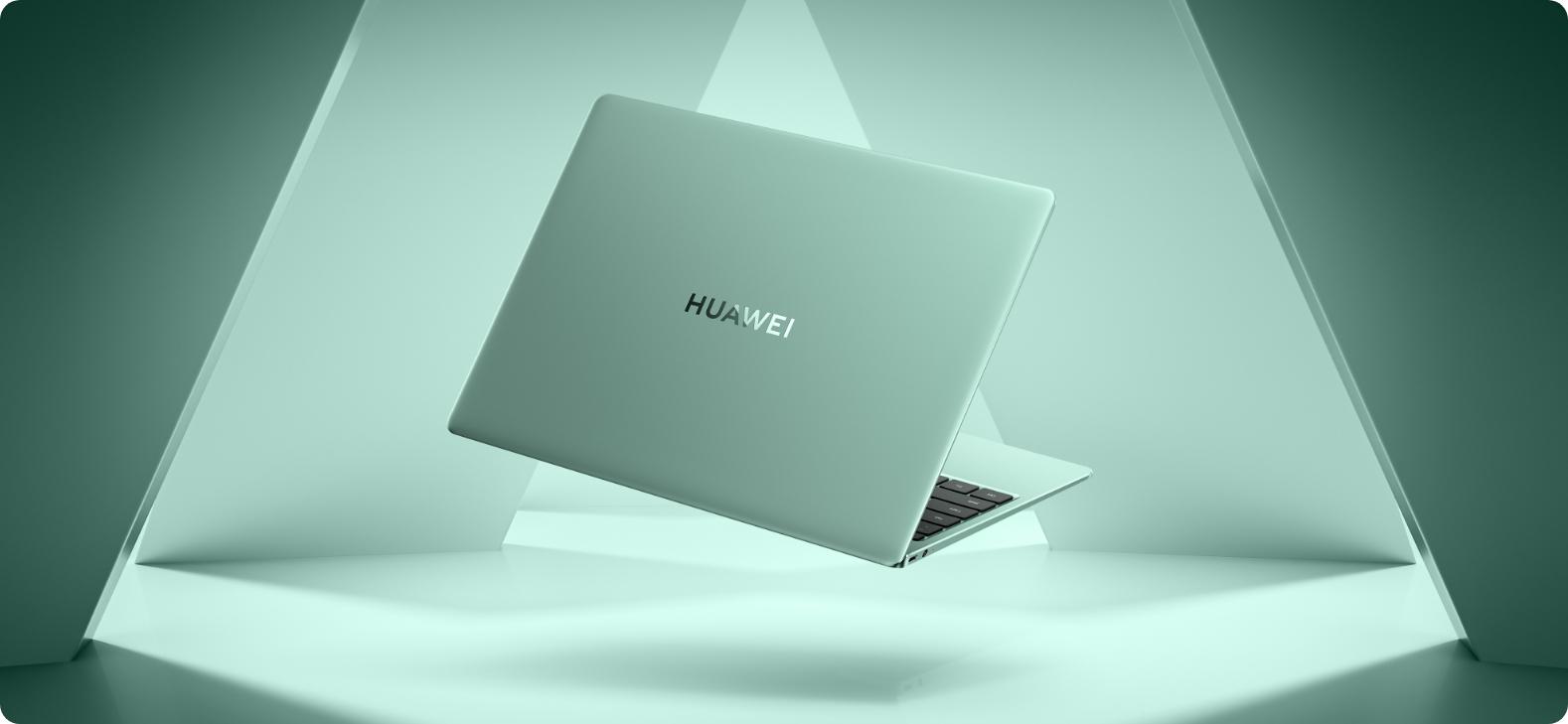
When I first laid eyes on the Huawei MateBook 13s, I was instantly captivated. It looked sleek and modern, almost as if it whispered promises of performance that would make my work-from-home life blissful. As someone who scrambles to juggle video calls, spreadsheets, and creative work all day long, I had high hopes.
I was drawn in by the shiny marketing materials that flaunted its lightweight design and impressive specs. However, as I navigated throughout the initial setup phase, I couldn't shake off a nagging feeling — was this just another pretty face? The excitement quickly transformed into skepticism when my expectations didn't quite align with reality.
The build quality felt promising at first—at least on the surface. It has an aluminum body that looks attractive and feels solid in hand. But then I noticed the keyboard; while it offers decent travel and a quiet typing experience, there seemed to be a certain hollow sound every time I pressed a key. That lack of solidity infuriated me because for nearly $900, I thought there should be weight behind each keystroke.
Even worse, after just a few weeks of use, I noticed some wear and tear on the chassis that made me feel like I'd been sold an illusion. Fingerprints seemed to cling onto its surfaces more than I'd like to admit, making me feel embarrassed when pulling it out during meetings.
This part is where my frustrations peaked. The MateBook 13s boasts Intel's latest processor along with support for decent RAM configurations. And yet, during my typical multitasking grind—video streaming while editing documents—I felt moments of lag creeping in. For what was marketed as a "workhorse," those stutters left me positively fuming.
I even tried running some graphic-intensive tasks just to see how far this machine could push itself. To my dismay, it faltered under pressure! More than once while editing photos in Photoshop, it froze right before I'd saved a crucial piece of work. Believe me when I say nothing would ruin your day more than losing hours worth of edits due to technical hiccups.
This leads me straight to the price tag issue. At around $900, you'd expect a smooth blend of design and performance—a premium experience at a premium cost! Instead, it felt like I settled for less than what you’d presume from something stamped with “flagship.” I can't help but feel insulted knowing other brands deliver better performance without dropping jaws at the bank.
I mean sure, there's an aesthetic enjoyment about using it in public spaces; people will stare at how elegant it looks beside potent competitors! However, once you dig into functionality—the heart and soul of any laptop—you realize something vital is missing here.
Okay, let's get real for a moment since it's not all doom and gloom; there are some highlights that made working on this device enjoyable! One aspect that genuinely impressed me was the battery life—it’s incredible how long it lasts before begging for juice. I've often found myself away from power outlets during work outings but never worried about scrounging around for chargers!
The touchpad also has been surprisingly responsive and well-sized which added comfort during extended usage. Simple gestures worked flawlessly whether navigating documents or scrolling through web pages — little details like these kept reminding me that Huawei did put thought into certain features beyond just showing off its physical appearance.
At this point in my review journey, I'm left feeling mixed emotions about the Huawei MateBook 13s. There's alluring beauty packaged inside an aesthetically pleasing design—but underwhelming performance makes one question if looks truly can define function.
If you’re after style over substance coupled with connectivity options like USB-C goodness or fingerprint recognition—this might be your toy! Nonetheless, if you seek reliability mixed in with creativity beats paired alongside demanding workloads—perhaps keep hunting elsewhere because there’s no escaping its shortfalls.
Ultimately—with some bittersweet acceptance—I have to admit that although there are moments where this laptop shines brightly bringing joy; other times darkness lurks causing frustration as productivity gaps widen beyond acceptable limits...
Warranty1 Year International Warranty | Wireless ChargingNo |
EthernetNo | Processor ModelCore i5-1135G7 |
Build MaterialAluminum | Backlit KeyboardYes |
Device TypePremium | Storage InterfaceNVMe PCIe Gen4 |
Cpu TypeIntel Core i5 | Available ColorsSpace Gray |
Thunderbolt VersionNo | HDMI PortsHDMI 2.0 |
Weight1.32 kg | Audio JackUSB-C |
Gpu TypeIntegrated | Camera Features1080p HD |
RAM ExpandableYes (up to 32GB) | BrandHuawei |
SD Card ReaderNo | Cooling TechnologyDual Fan |
3.5mm Audio JackNo | SensorsNo |
Graphics VRAMShared | Processor BrandIntel |
Screen Size13.4 inches | Clock Feature8 MB cache |
Battery Capacity60 Wh | Display TypeIPS |
Battery TypeLithium-polymer | Standby Time10-12 hours |
Cooling SystemDual Fan | USB Ports2x USB-C 3.2 Gen 2 |
Usb TypeUSB 3.2 Gen 2 | dupll1 Year |
Body TypeAluminum | Processor Cores4 |
RAM Speed4266 MHz | Product DescriptionSpace Gray |
Storage512 GB SSD | Resolution2160 x 1440 pixels |
Processor Generation11th Gen | Display Size13.4 inches |
dup34341.32 kg | Ram16 GB |
Display CharacteristicsIPS, 400 nits | Audio QualityQuad Speakers |
Dimensions286.5 x 211 x 14.9 mm | Processor Threads8 |
Battery60 Wh | TouchscreenNo |
Operating SystemWindows 11 Home | Graphics CardIntel Iris Xe |
Screen Resolution2160 x 1440 pixels | Model Number2022 |
Storage Capacity512 GB | Bluetooth VersionBluetooth 5.1 |
Processor Speed2.4 GHz base / 4.2 GHz boost | Display Touch SupportNo |
Model NameMateBook 13s | ChipsetIntel Platform Controller Hub |
RAM16 GB | Frequency (Hz)90 |
App ControlNo | Charging Speed65W USB-C |
Keyboard LanguageEnglish/Bangla | Build StandardStandard |
Wifi SupportWi-Fi 6 (802.11ax) | Special FeaturesHuawei Share, TPM 2.0 |
RAM Slots2 | Storage ExpandableYes (M.2 slot) |
Refresh Rate90 Hz |
Share feedback or ask a question about this product.