
© 2026 Kossti. All rights reserved.
Unofficial specifications
Gpu TypeIntegrated | Charging Speed65W USB-C |
Processor Speed2.5 GHz base / 4.4 GHz boost | Audio Jack3.5mm Combo Jack |
App ControlNo | Clock Feature8 MB cache |
SD Card ReaderYes | USB Ports2x USB 3.2 Gen 1, 1x USB 2.0 |
Warranty1 Year International Warranty | Battery46 Wh |
Dimensions363.8 x 243.5 x 19.9 mm | Body TypePlastic |
RAM ExpandableYes (up to 32GB) | TouchscreenNo |
Cooling TechnologySingle Fan | Audio QualityStereo Speakers |
Processor Cores4 | Model Number2024 |
Camera Features720p HD | RAM Slots2 |
Storage ExpandableYes (M.2 slot) | HDMI PortsHDMI 1.4 |
Model NameRedmi Book 15 | Screen Resolution1920 x 1080 pixels |
Storage Capacity512 GB | Storage512 GB SSD |
Processor Threads8 | Storage InterfaceNVMe PCIe Gen3 |
Display Touch SupportNo | EthernetYes |
Processor BrandIntel | Display TypeIPS |
Special FeaturesTPM 2.0 | RAM8 GB |
Backlit KeyboardYes | Standby Time8-10 hours |
Product DescriptionDark grey | Refresh Rate60 Hz |
3.5mm Audio JackYes | SensorsNo |
Cooling SystemSingle Fan | Graphics VRAMShared |
Wifi SupportWi-Fi 5 (802.11ac) | Device TypeUltraportable |
Wireless ChargingNo | Battery Capacity46 Wh |
Screen Size15.6 inches | Ram8 GB |
Cpu TypeIntel Core i5 | Available ColorsDark grey |
Build MaterialPlastic | Bluetooth VersionBluetooth 5.0 |
Weight1.8 kg | Battery TypeLithium-ion |
Display CharacteristicsIPS, 220 nits | Processor ModelCore i5-11300H |
Processor Generation11th Gen | ChipsetIntel Platform Controller Hub |
Display Size15.6 inches | Frequency (Hz)60 |
dupll1 Year | RAM Speed3200 MHz |
Build StandardStandard | Graphics CardIntel Iris Xe |
Usb TypeUSB 3.2 Gen 1 | Thunderbolt VersionNo |
BrandXiaomi | dup34341.8 kg |
Resolution1920 x 1080 pixels | Operating SystemWindows 11 Home |
Keyboard LanguageEnglish/Bangla |
Reviewer
Apr 20, 2026
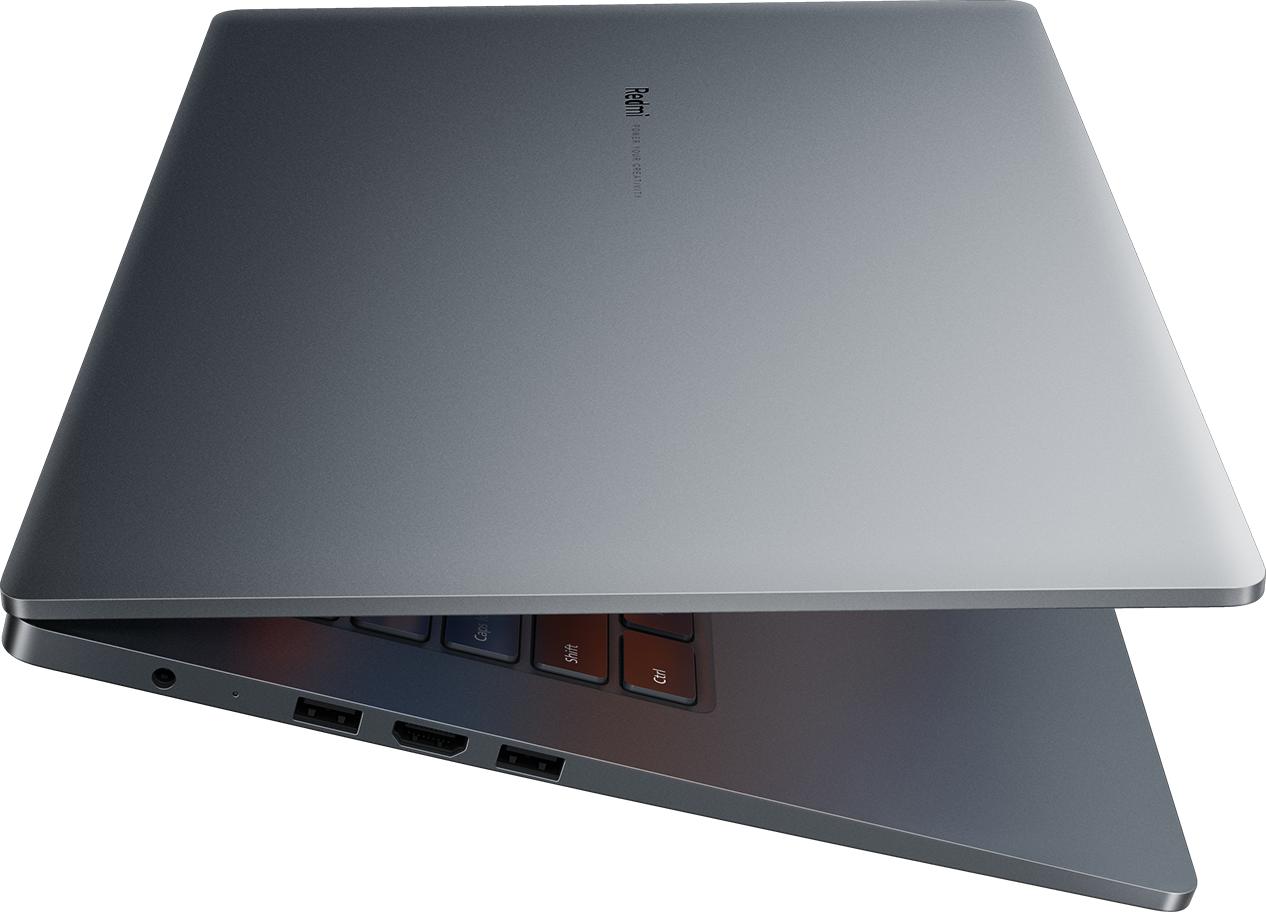
I was on the hunt for a budget-friendly laptop when I stumbled upon the Xiaomi Redmi Book 15. Honestly, my first impression was pretty darn good. The sleek design caught my eye—it's lightweight, has sharp angles, and just looks elegant enough to make me feel decent carrying it around the coffee shop.
After reading tons of reviews highlighting its specs, I felt optimistic about making this purchase. I thought, "Finally, a laptop that won’t break the bank but still delivers solid performance!" I was ready to dive into productivity mode with hopes swirling in my head.
Let’s talk about what genuinely impressed me—the performance. For most of my daily tasks like browsing, streaming, and light editing work, it handled everything surprisingly well. There are moments when it really shines; multitasking is smooth enough that I can watch Netflix while working on Google Docs without experiencing any lag.
Another thing worth celebrating is the keyboard experience. I’ve owned laptops where typing feels painful after a while. But here? The keys have just the right amount of bounce with a satisfying click that makes lengthy writing sessions a pleasure rather than agony. It felt so gratifying to crank out an article without feeling like my fingers were hitting rocks!
Despite its strengths, there were moments when irritation crept in, and oh boy, they could get loud! One time, I took it out in public thinking I'd get some work done outside. It was mildly sunny but not blindingly bright; however, I quickly realized how hard it was to see the screen clearly. The display colors washed out under direct sunlight—seriously frustrating when you need to finish something urgent!
Then there's trackpad sensitivity. Have you ever been typing away only for your cursor to leap across the screen and mess up your flow? That has happened more times than I care to mention with this laptop. It genuinely pisses me off when all I'm trying to do is click on a link or highlight text.
I can’t sugarcoat this—the battery life is a mixed bag. On paper, it claims up to 10 hours of use which sounds incredible… if only it were true! In real-world usage, I've noticed that number dropping quite drastically depending on what I'm doing.
Casually browsing? Sure! You might scrape around 6-7 hours—or so they advertise—if you're lucky. But crank it up with video streaming or heavy multitasking? Forget about it! I'll be hunting for a power outlet after just about four hours, and nothing irritates me more than needing to tether myself to a charger when I'm trying to be mobile.
The built-in webcam might as well be from early 2000s! It’s subpar at best—during video calls with friends or meetings at work, people often comment how blurry and grainy my image looks. At times I feel self-conscious because I know there's better tech out there—even among budget options!
This led to some awkward moments when trying to look professional during important Zoom meetings. To add fuel to the fire, the audio quality isn’t great either—I’ve had coworkers ask if I was using one of those cheap clip-on mics instead of my built-in device.
If you’re looking for an affordable laptop that gets general tasks done without fuss or complication—then yes! Getting your hands on the Xiaomi Redmi Book 15 may just be worth your while. Just prepare yourself for mild annoyances along the way.
However, if you rely heavily on high-resolution displays or strong video conferencing capabilities—honestly consider other options in this price range too before settling down on this one. Its strengths shine mostly during everyday tasks but come with caveats that could lead you down frustration lane more often than you'd like.
In short: manage your expectations and know what you’re signing up for! Sometimes it's refreshing knowing you've got value in hand—other times it may leave you wanting more.
Share feedback or ask a question about this product.